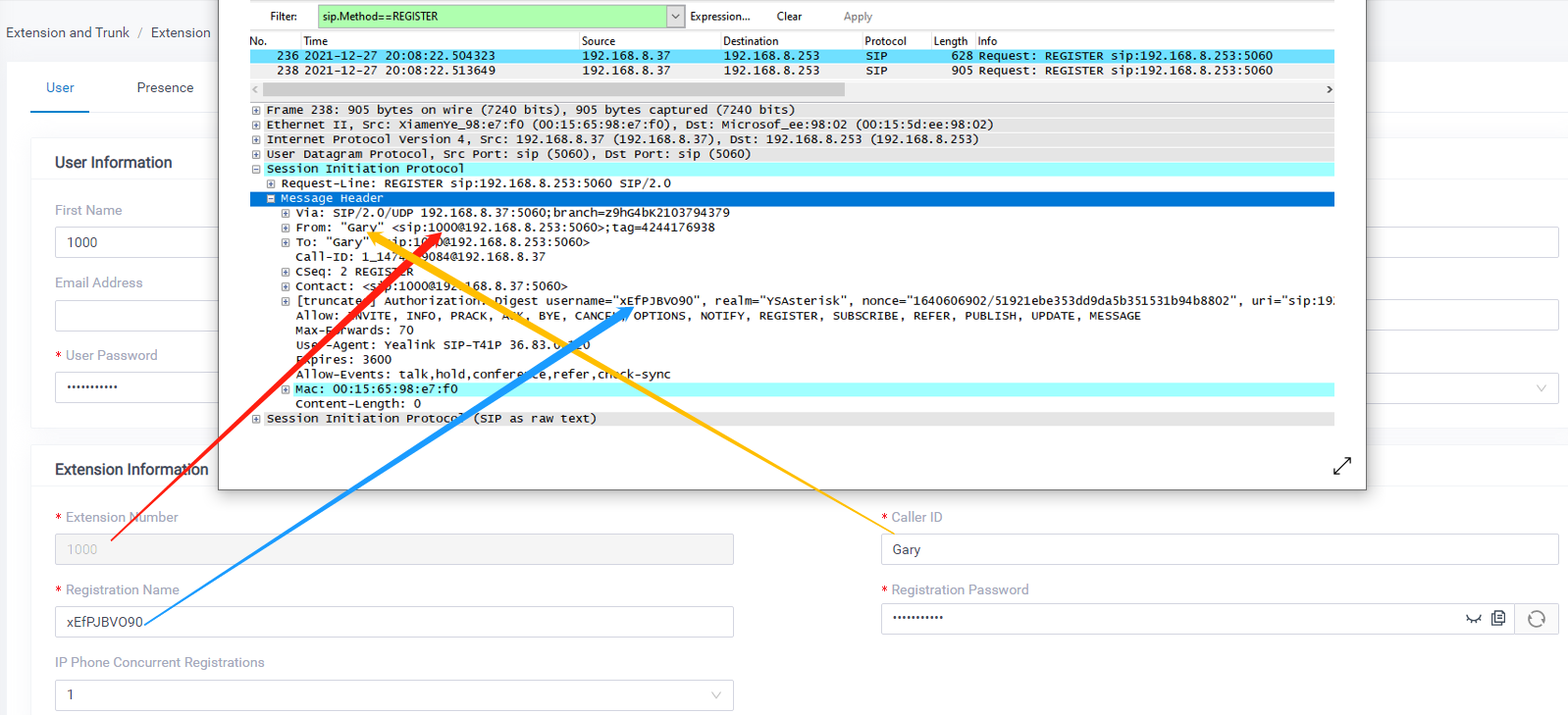
Manually Register a Yealink Phone to Yeastar P-series VoIP PBX
Step 1. Log in to the Yeastar P-series PBX web interface.
Check the extension registration information.
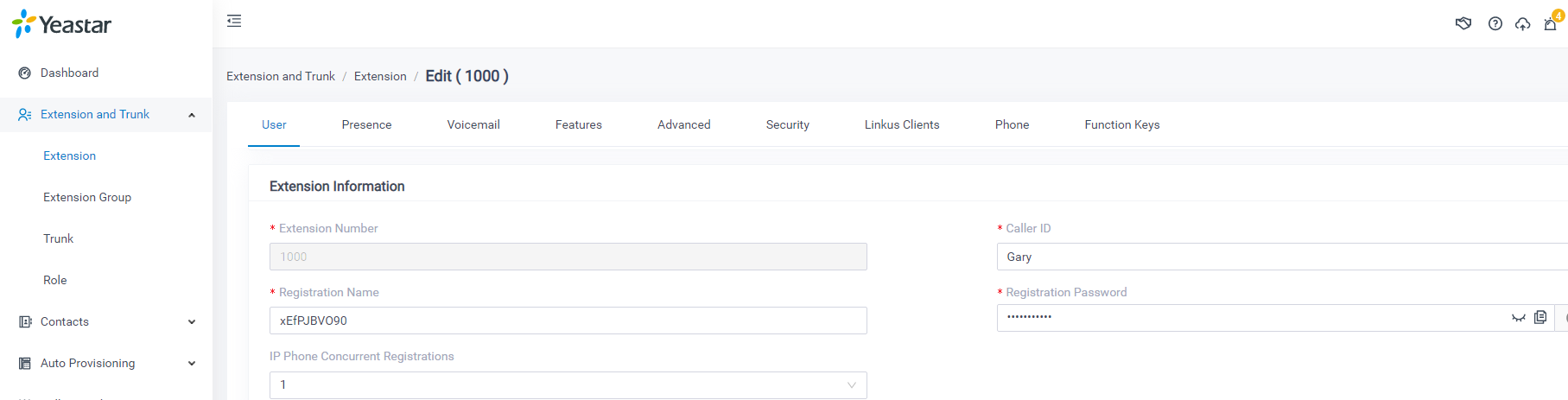
Step 2. Log in to the Yealink IP phone web interface.
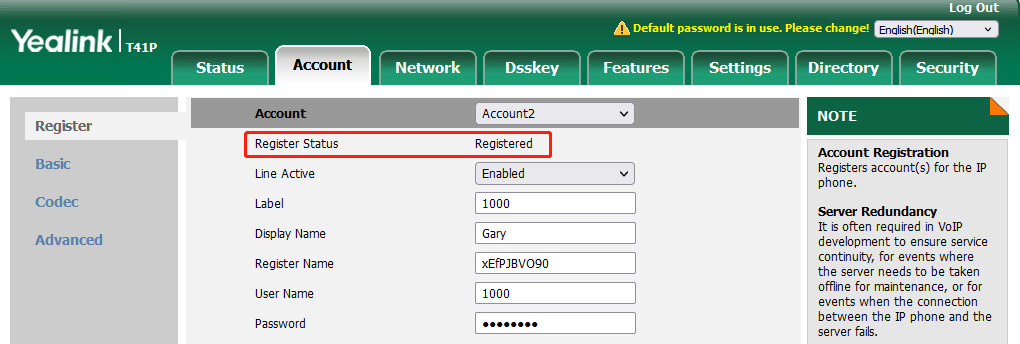
Click the 'Account' Tab, choose an account to configure.
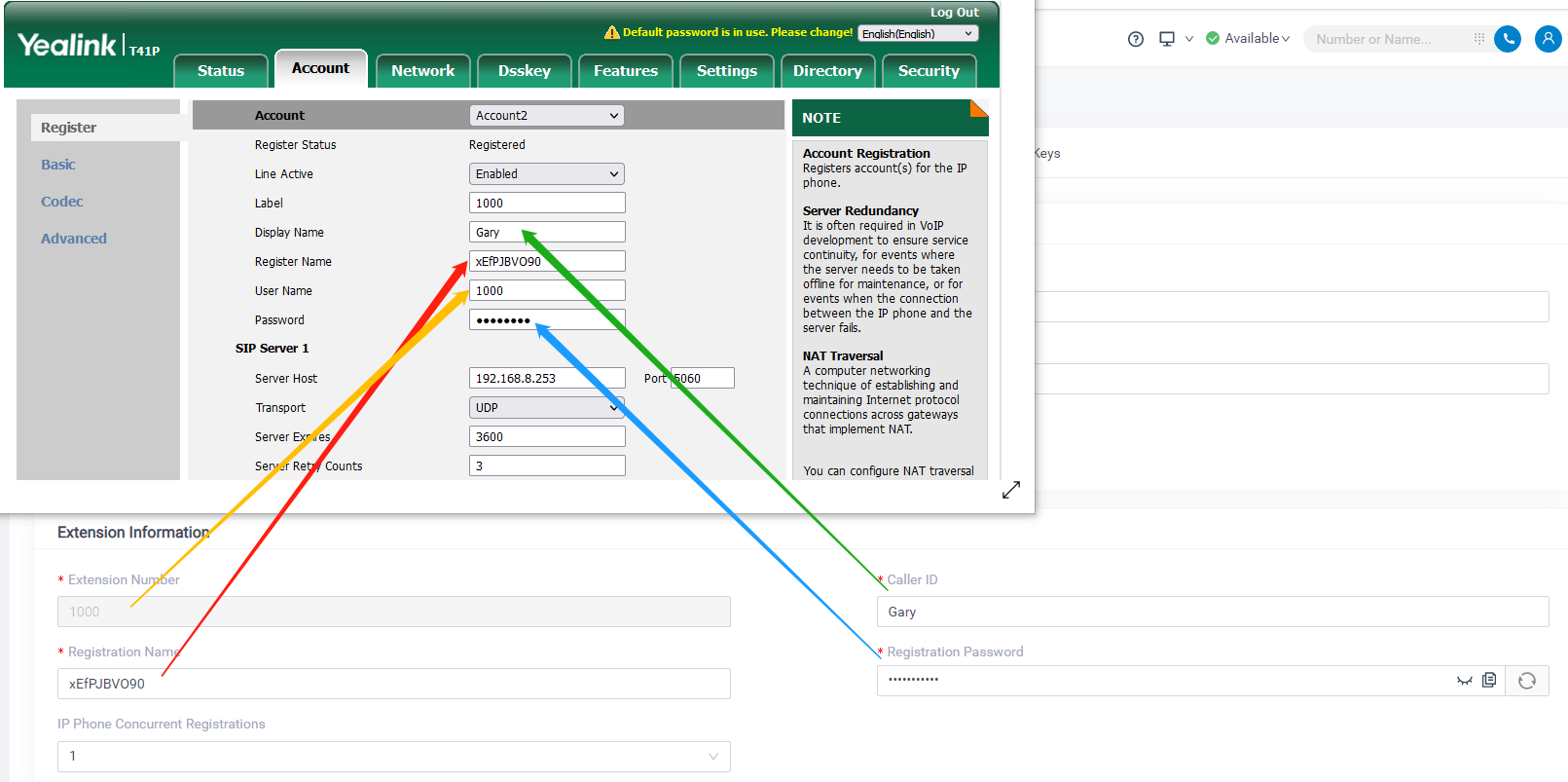
- Account: choose one account.
- Line Active: Enabled
- Label: set the name you want to appear on the phone display.
- Display Name: set it with the extension Caller ID. It will appear on other phones’ displays when calling other phones.
- Register Name: fill in the extension’s “Register Name”.
- User Name: fill in the extension number.
- Password: fill in the extension’s “Registration Password”.
- Server Host: fill in Yeastar P-Series PBX’s IP address.
Step 3. Check the extensions' registration status.
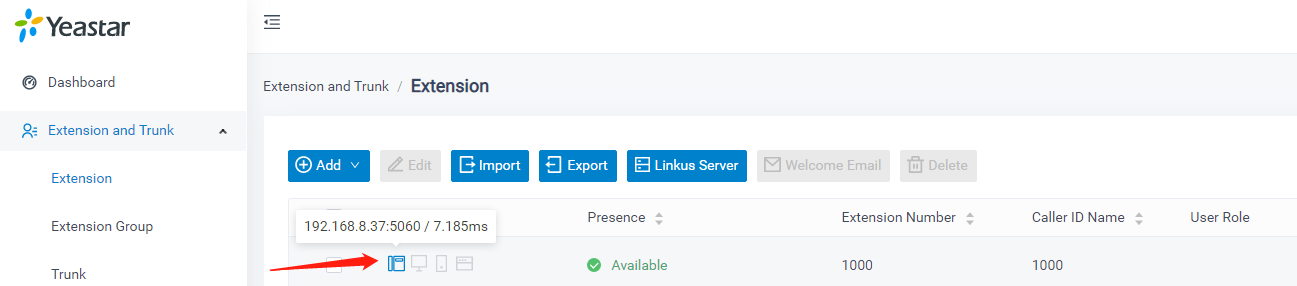
If the P-series PBX extension page shows a phone icon, and show's the IP phone IP address when putting the computer mouse on it, and the IP phone side shows Register status is 'Registered'. Then the extension is registered.
You can also capture the PCAP log to check the sip register package.